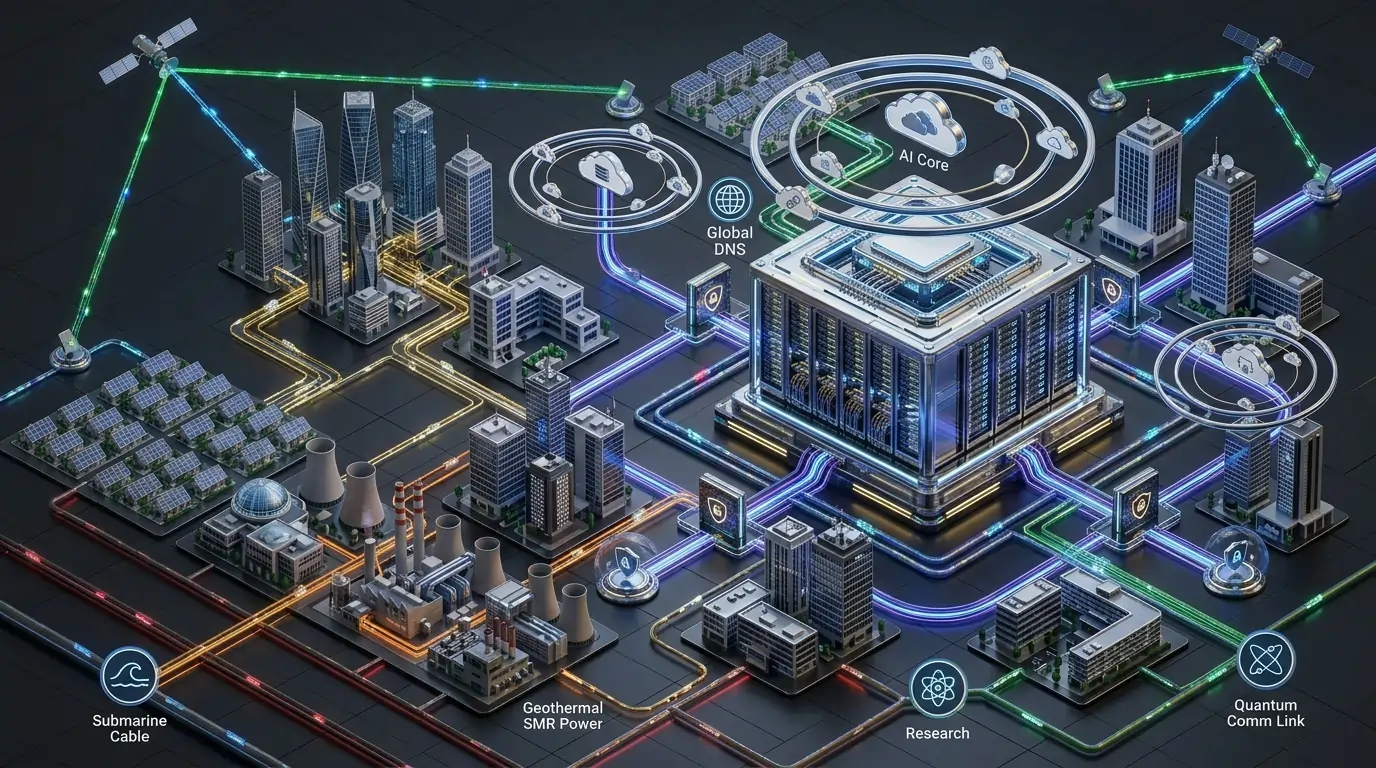
Modern businesses depend on data centers to power mission-critical applications, cloud platforms, virtualization environments, AI workloads, storage systems, and enterprise networking. Whether you’re building an on-premises facility, a colocation environment, or a private cloud infrastructure, designing a data center requires careful planning and precision.
A poorly designed facility can lead to:
- Power failures
- Cooling inefficiencies
- Network bottlenecks
- High operational costs
- Difficult maintenance
- Unexpected downtime
Correcting these issues after deployment is often significantly more expensive than designing them properly from the beginning.
As cloud computing, edge computing, artificial intelligence, and high-density workloads continue to grow, modern data centers must deliver high availability, scalability, energy efficiency, and operational resilience.
This guide covers the essential best practices for planning, designing, and deploying enterprise-grade data centers.
Why Proper Data Center Design Matters
A modern data center is much more than a server room.
It combines multiple engineering disciplines, including:
- Power engineering
- Cooling infrastructure
- Enterprise networking
- Physical security
- Fire protection
- Environmental monitoring
- Structured cabling
- Capacity planning
A well-designed data center provides:
- Maximum uptime
- Improved operational efficiency
- Lower operating costs
- Easier maintenance
- Greater scalability
- Stronger business continuity
Planning every component before construction reduces long-term risks and operational expenses.
Phase 1: Pre-Design Planning and Capacity Forecasting
Every successful data center begins with comprehensive planning.
One of the most common mistakes is designing infrastructure solely around current business requirements.
Instead, organizations should forecast future growth over the next 3 to 10 years.
Consider factors such as:
- Business expansion
- Cloud adoption
- AI workloads
- Storage growth
- Virtualization
- Power density
- Rack capacity
- Future network bandwidth
Capacity forecasting minimizes expensive redesigns as infrastructure grows.
Choose the Appropriate Uptime Tier
The Uptime Institute Tier Classification System provides globally recognized standards for data center availability and redundancy.
Tier I
Suitable for:
- Small businesses
- Development environments
- Non-critical workloads
Characteristics:
- Basic infrastructure
- Single power and cooling path
- Limited redundancy
Tier II
Provides:
- Redundant components
- Improved fault tolerance
- Better reliability than Tier I
Ideal for organizations with moderate availability requirements.
Tier III
Tier III is considered the enterprise standard.
Key features include:
- Concurrent maintainability
- Multiple power paths
- Redundant cooling systems
- Maintenance without downtime
Many enterprise organizations target Tier III availability.
Tier IV
Tier IV provides the highest level of fault tolerance.
Features include:
- Fully redundant infrastructure
- Multiple active power paths
- Complete cooling redundancy
- Continuous operation during equipment failures
Tier IV is typically reserved for mission-critical environments where downtime is unacceptable.
Select the Right Data Center Location
Site selection significantly impacts both capital and operational costs.
Evaluate locations based on:
- Reliable utility power
- Fiber connectivity
- Flood risk
- Earthquake exposure
- Climate conditions
- Accessibility
- Physical security
- Expansion potential
Choosing an appropriate site improves long-term reliability.
Phase 2: Architectural Layout and Space Planning
The physical design directly affects cooling efficiency, maintenance, and future scalability.
The building structure should safely support:
- Server racks
- UPS systems
- Battery banks
- Cooling equipment
- Generators
- Network cabinets
Adequate floor loading capacity is essential.
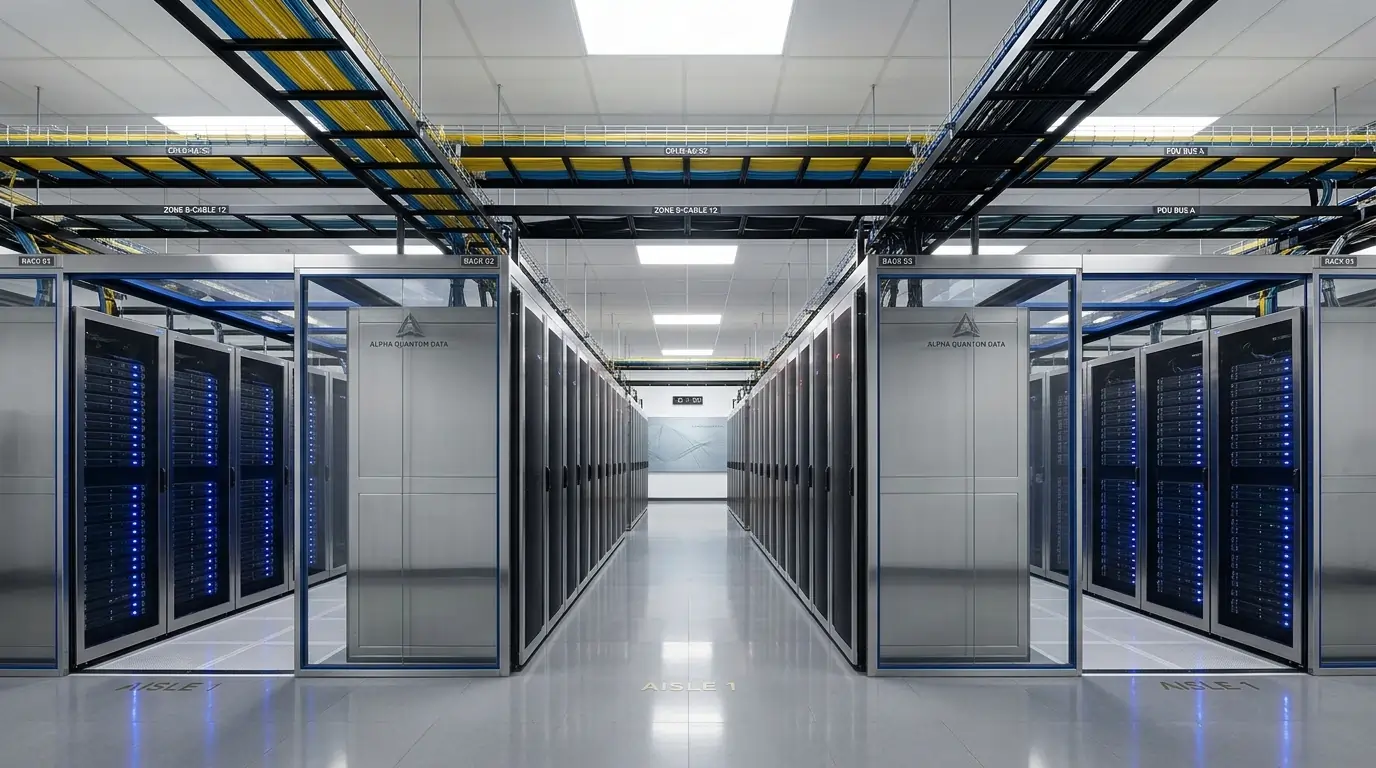
Implement Hot Aisle / Cold Aisle Design
Proper airflow management is one of the most effective methods for improving cooling efficiency.
Servers pull cool air through the front and exhaust hot air from the rear.
By arranging racks in alternating hot and cold aisles, organizations can:
- Improve airflow
- Reduce cooling costs
- Prevent equipment overheating
- Increase rack density
- Extend hardware lifespan
Cold air and hot air should remain physically separated whenever possible.
Plan for Future Expansion
Reserve sufficient space for:
- Additional racks
- Power equipment
- Cooling systems
- Cable pathways
- Network growth
Scalable layouts reduce future construction costs.
Phase 3: Design Reliable Power Infrastructure
Power systems represent one of the largest investments in any data center.
Redundancy and reliability are critical.
Utility Power
Design multiple utility feeds whenever possible.
Dual utility connections improve resilience against external power failures.
Uninterruptible Power Supply (UPS)
UPS systems provide continuous power during utility outages until backup generators start.
Enterprise deployments often use redundant UPS configurations to eliminate single points of failure.
Backup Generators
Diesel or natural gas generators ensure long-term operation during extended power outages.
Best practices include:
- Automatic transfer switches (ATS)
- Redundant generators
- Fuel monitoring
- Routine load testing
Reliable backup power is essential for business continuity.
Power Distribution Units (PDUs)
Power Distribution Units safely distribute electricity throughout the data center.
Intelligent PDUs provide:
- Remote monitoring
- Outlet-level management
- Power consumption analytics
- Environmental monitoring
Phase 4: Cooling Infrastructure
Modern servers generate significant amounts of heat.
Efficient cooling is critical for maintaining equipment reliability.
Precision Cooling Systems
Computer Room Air Conditioning (CRAC) and Computer Room Air Handler (CRAH) systems maintain optimal environmental conditions.
Cooling systems should be designed with redundancy to ensure uninterrupted operation.
Liquid Cooling
High-density AI and GPU workloads increasingly require liquid cooling technologies.
Benefits include:
- Greater cooling efficiency
- Higher rack density
- Lower energy consumption
- Improved thermal performance
Liquid cooling is becoming increasingly common in next-generation data centers.
Environmental Monitoring
Continuously monitor:
- Temperature
- Humidity
- Airflow
- Water leaks
- Power conditions
Automated alerts help operators respond before equipment is affected.
Phase 5: Network Architecture and Structured Cabling
The network serves as the communication backbone of the entire facility.
Proper network design improves reliability, scalability, and operational efficiency.
High-Speed Network Architecture
Enterprise data centers commonly deploy redundant switching architectures supporting:
- Spine-Leaf topology
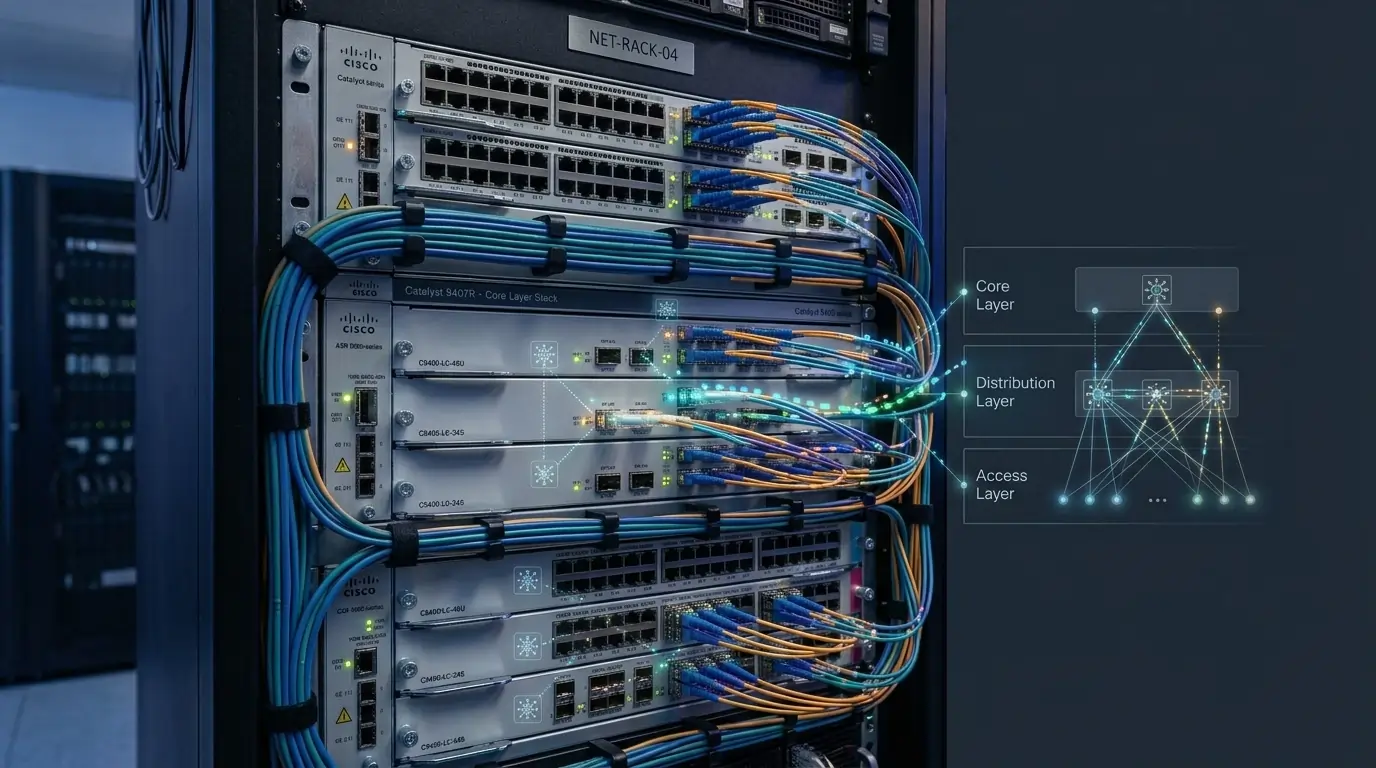
- Core-Distribution-Access
- Software-Defined Networking (SDN)
These architectures reduce latency while improving scalability.
Structured Cabling
Maintain organized cable management using:
- Cable trays
- Fiber raceways
- Labeling systems
- Color-coded cabling
- Separation between power and data cables
Structured cabling simplifies maintenance and improves airflow.
Fiber Optic Infrastructure
Modern data centers increasingly rely on fiber optics to support:
- High-speed switching
- Storage networks
- Cloud connectivity
- Long-distance links
Fiber provides greater bandwidth and lower latency than traditional copper for backbone connections.
Phase 6: Physical Security and DCIM
Protecting infrastructure requires both physical and operational security.
Physical Security
Implement multiple layers of protection including:
- Access control systems
- Biometric authentication
- CCTV surveillance
- Security guards
- Visitor management
- Intrusion detection
- Perimeter fencing
Only authorized personnel should access critical infrastructure.
Data Center Infrastructure Management (DCIM)
DCIM platforms provide centralized visibility into facility operations.
Typical capabilities include:
- Power monitoring
- Cooling analytics
- Rack utilization
- Capacity planning
- Asset management
- Environmental monitoring
- Alerting
- Reporting
Real-time visibility improves operational efficiency and proactive maintenance.
Phase 7: Commissioning and Validation
Commissioning is one of the most important phases of any data center project.
Every system must be thoroughly tested before production deployment.
Functional Testing
Verify operation of:
- Electrical systems
- UPS infrastructure
- Generators
- Cooling systems
- Network connectivity
- Security systems
- Fire suppression
- Monitoring platforms
Testing ensures all systems operate according to design specifications.
Integrated Systems Testing
Validate how all infrastructure components interact under realistic operating conditions.
This includes:
- Utility power failure simulation
- Generator startup
- UPS transition
- Cooling failover
- Network redundancy
- Alarm verification
Integrated testing identifies issues before production workloads are introduced.
Deploy Production Equipment
Only after successful commissioning should production infrastructure be installed.
This minimizes deployment risks and ensures a stable operational environment.
Fire Protection Systems
Data centers require specialized fire protection systems designed for electronic equipment.
Common solutions include:
- Clean agent fire suppression
- Early smoke detection
- Fire zoning
- Emergency shutdown procedures
Traditional water-based suppression is generally avoided in critical IT environments.
Sustainability and Energy Efficiency
Modern facilities increasingly prioritize sustainability.
Best practices include:
- High-efficiency UPS systems
- Intelligent cooling
- Hot aisle containment
- Renewable energy integration
- Energy monitoring
- Efficient airflow management
Improving Power Usage Effectiveness (PUE) helps reduce operating costs and environmental impact.
Additional Data Center Best Practices
To maximize long-term reliability:
- Document infrastructure thoroughly.
- Maintain configuration management records.
- Perform preventive maintenance regularly.
- Monitor capacity continuously.
- Test disaster recovery procedures.
- Maintain redundant internet connectivity.
- Keep firmware updated.
- Conduct routine security assessments.
- Backup DCIM configurations.
- Review operational procedures periodically.
Conclusion
Designing a modern data center requires careful planning across multiple engineering disciplines.
By focusing on:
- Capacity forecasting
- Uptime Tier selection
- Reliable power infrastructure
- Efficient cooling
- Structured cabling
- Scalable networking
- Physical security
- DCIM monitoring
- Thorough commissioning
organizations can build facilities that are reliable, efficient, secure, and prepared to support future business growth.
Investing in proper planning from the beginning reduces operational risks, minimizes downtime, and provides a strong foundation for digital transformation initiatives.
Frequently Asked Questions
What is a data center?
A data center is a facility that houses servers, networking equipment, storage systems, and supporting infrastructure required to deliver IT services and applications.
What is the difference between Tier III and Tier IV data centers?
Tier III facilities support concurrent maintenance without downtime, while Tier IV facilities provide full fault tolerance with completely redundant infrastructure for maximum availability.
Why is Hot Aisle / Cold Aisle design important?
Separating hot and cold airflow improves cooling efficiency, reduces energy consumption, prevents overheating, and supports higher equipment densities.
What is DCIM?
Data Center Infrastructure Management (DCIM) is software that monitors and manages power, cooling, environmental conditions, assets, and operational performance within a data center.
Why is commissioning important?
Commissioning verifies that every power, cooling, networking, and security system functions correctly before production workloads are deployed, reducing the risk of costly failures.